Free and open source desktop app
Hold Shift. Drag a file. Drop it on a tool.
Astral Shift is a desktop app for macOS and Linux. Hold Shift while dragging any PDF or image and a radial wheel appears around your cursor. Drop the file on a wedge to convert, compress, crop, redact and more, or drop several files on the centre to merge them. The result is saved next to the original, and nothing is ever uploaded.
macOS builds are signed with a Developer ID and notarized by Apple.
Open source on GitHubLicensed AGPL-3.0
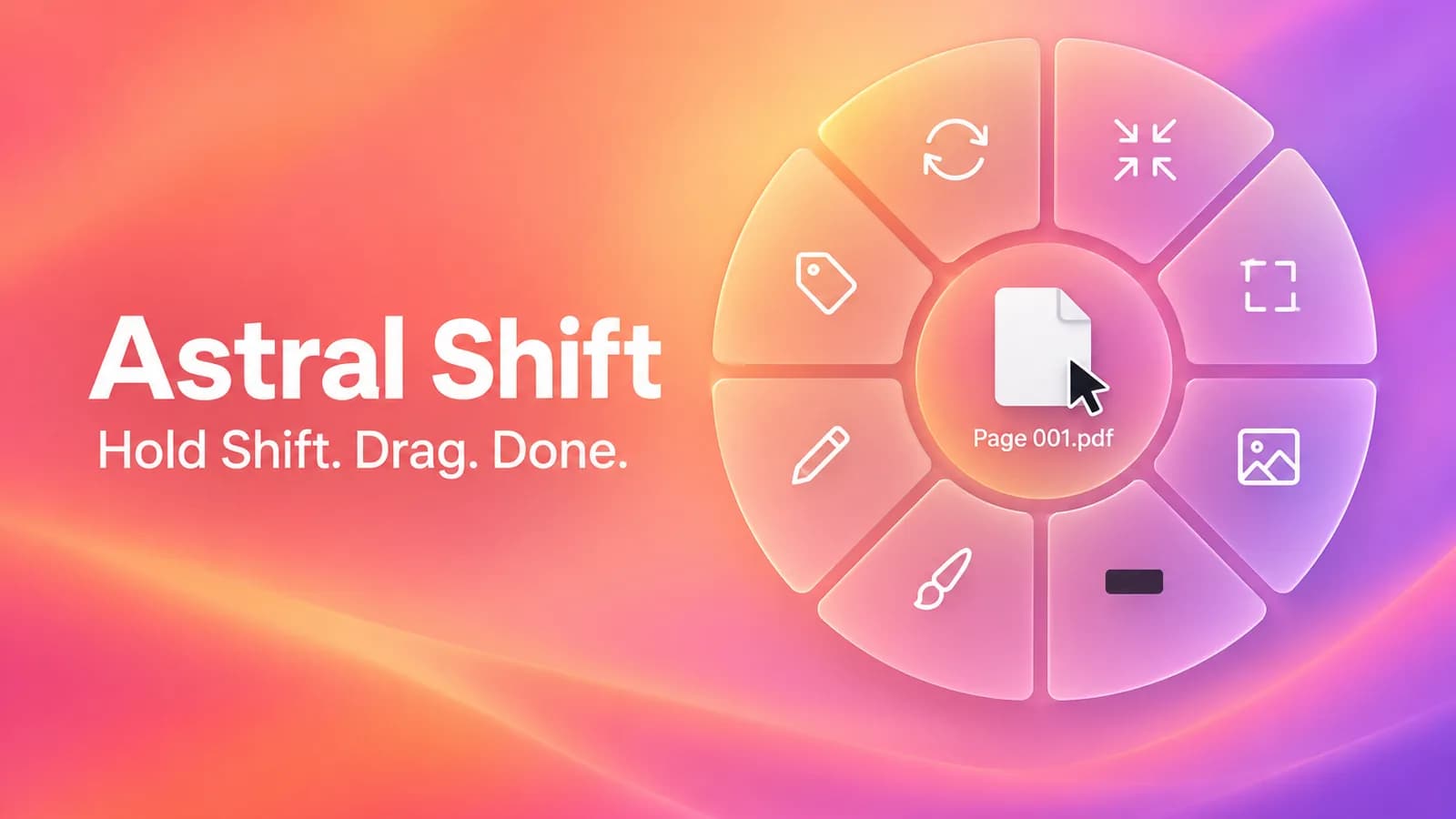
Ten tools on one wheel
Each wedge of the wheel is one action. Drop a PDF or an image on it and the result lands in the same folder.
Convert
PDF to JPG or PNG. Image to PDF, PNG, JPG or WebP.
Compress
Make a PDF or an image much smaller before you send it.
Crop
Trim an image or a PDF page to the part you need.
Rotate
Turn a PDF or an image the way you need it in one drop.
Add background
Place an image on a gradient or colour, with padding, rounded corners and a shadow.
Redact
Black out sensitive areas so the content is gone from the output file.
Annotate
Draw, highlight and write notes on top of a file.
Edit
Flip and resize, or split a PDF into one PDF per page.
Metadata
See what a file reveals about you, then strip it.
Merge
Drop two or more files on the wheel centre to merge PDFs and images into one PDF, and reorder them in a dialog.
How it works
- 1
Hold Shift
Press and hold the Shift key anywhere on your desktop.
- 2
Drag a file
Start dragging a PDF or an image. The wheel opens around your cursor.
- 3
Drop on a wedge
Release the file on the action you want. The result is saved next to the original.
Three ways to open the wheel
Use whichever fits how you work. All three open the same wheel.
Shift + drag
Hold Shift while you drag a file. The wheel opens around your cursor.
Keyboard shortcut
Press Control+Option+Space on macOS or Ctrl+Alt+Space on Linux. You can change it in Settings. On macOS it acts on the files selected in Finder.
Right-click menu
Choose Astral Shift from the right-click menu: a Finder Quick Action on macOS, and Nautilus, Dolphin and Nemo on Linux. Switch it on in Settings.
Frosted glass design
Windows use a frosted glass look, so the app stays light and sits quietly over your work.
Everything stays on your computer
Astral Shift works entirely on your machine. Your files are never uploaded to a server, and there is no account to create.
Also a command line tool
Script the same actions from a terminal, for example:
astral-shift convert file.pdf --to jpgQuestions
Does it need any special permissions?
No Accessibility permission is needed: it watches the Shift key and the drag, never your keystrokes or files. The first time you use the keyboard shortcut on macOS, it asks once to let Astral Shift talk to Finder, only to read which files are selected.
Does it work on Linux with Wayland?
On Wayland, apps cannot watch Shift and drag globally. Open the wheel from the tray icon, or bind the command astral-shift wheel to a keyboard shortcut in your desktop settings, then drop your file on it. On X11 you get Shift+drag directly.
Is it really free?
Yes. Astral Shift is free and open source under the AGPL-3.0 licence. There is no paid tier, no account and no tracking of your files.
Is it safe to install?
The macOS builds are signed with an Apple Developer ID and notarized by Apple, so Gatekeeper opens them normally. The full source code is public on GitHub, so you can read it or build it yourself.